

A good challenge launch email does one job: it makes a person say yes to joining. It gives them a reason to care, tells them what to do and by when, and offers one button to do it. For a walking, running or biking challenge, the strongest reason is usually a shared goal: miles that turn into money for a cause people already like. Below you will find the parts every launch email needs, subject lines you can adapt, a full template for employee teams, a version for charity supporters, a send schedule and the legal basics for the US.
If your challenge runs on Charity Miles, where every mile logged becomes a donation to the member’s chosen charity, the email has an easy story to tell. You are not asking people to “do a fitness challenge.” You are asking them to take a walk that helps someone.
TL;DR
- Send one clear ask per email: a single button that says what happens next, such as “Join our team.”
- Lead with the why (the cause and the goal), then the how (start date, how miles count), then the button.
- Plan a short sequence, not a single send: a teaser, the launch, a reminder, a last call and a results email.
- Keep subject lines short and specific, and test two versions on a small slice of your list before you send to everyone.
- Commercial email in the US must follow CAN-SPAM: honest sender and subject line, a physical address and a working opt-out.
Table of Contents
- What a challenge launch email has to do
- Subject lines and preheaders that get opened
- A launch email template for an employee challenge
- A launch email for charity supporters
- When to send: a launch sequence that works
- Follow-up emails: be persistent, not pushy
- What the law says: CAN-SPAM basics for US senders
- Putting it together with Charity Miles
- Our perspective
- FAQ
- Sources
What a challenge launch email has to do
Most launch emails fail because they try to say everything. The reader sees a long paragraph about the program, three links and no clear next step. A launch email is closer to an invitation than a brochure.
Every effective one contains the same five pieces:
- A subject line that names the challenge or the cause. It should be readable in a glance on a phone.
- A short opening that explains why this matters. One or two sentences about the cause, the team or the person asking. Personal reasons work: the St. Jude fitness-fundraiser resources tell participants to explain why the cause matters to them rather than send a generic message.
- The details people need to say yes. Start date, length, what counts (walking, running, biking), and what the miles accomplish.
- One call to action. A button or a single link. The Michael J. Fox Foundation’s fundraiser templates, for example, tell supporters to include a clear button such as “Donate Now” tied to their fundraising page.
- A reason to act now. A start date, a registration deadline or a team goal people can see.
Notice what is missing: a long explanation of how the technology works, a list of rules, and a second or third ask. Put those on the landing page or in the welcome email after someone joins.
Subject lines and preheaders that get opened
The subject line decides whether the rest of your work is read. Keep it under about 50 characters so it does not get cut off on a phone, and use the preheader (the preview text that shows beside it) to add one more detail.
Four patterns cover most launches:
| Pattern | When to use it | Example |
|---|---|---|
| Question | Teaser or first invite | “Are you in? Our 30-day walking challenge starts Monday” |
| Cause first | Charity supporters | “Every mile you walk funds a meal” |
| Team first | Employee challenges | “Join Team Marketing: 4 weeks, 1 cause” |
| Deadline | Reminder or last call | “Registration closes Friday” |
A few habits make these work better:
- Be specific. “Walk for Alzheimer’s research this October” beats “Exciting news inside.”
- Match the pattern to the stage. Excitement suits the announcement, urgency suits the days before the start, and curiosity suits a teaser. Do not use urgency in a first email when there is nothing urgent yet.
- Do not mislead. The subject line must reflect what the email actually says. That is both good practice and a legal requirement, covered below.
- Test before you send. If your list is large enough, send two subject lines to a small segment, then send the better one to everyone else.
A launch email template for an employee challenge
This template works for HR, wellness and CSR teams announcing a company walking, running or biking challenge. Replace the bracketed text and keep the structure.
Subject: Join [Company] Steps for [Cause]: starts [Day]
Preheader: Every mile you log becomes a donation. Any movement counts.
Hi [First name],
Last year our team [one sentence about a past result, or why this cause matters to your company].
This [month], we’re doing it again, together. From [start date] to [end date], we’re walking, running and biking to raise money for [charity].
How it works
- Download the free app and join our private team: [button]
- Log any walk, run or ride. A lunchtime stroll counts as much as a long run.
- Watch our team total grow on the leaderboard.
[Company] will [sponsor each mile at $X per mile, up to $Y total]. That means a 20-minute walk does real good.
[Join the team]
See you out there,
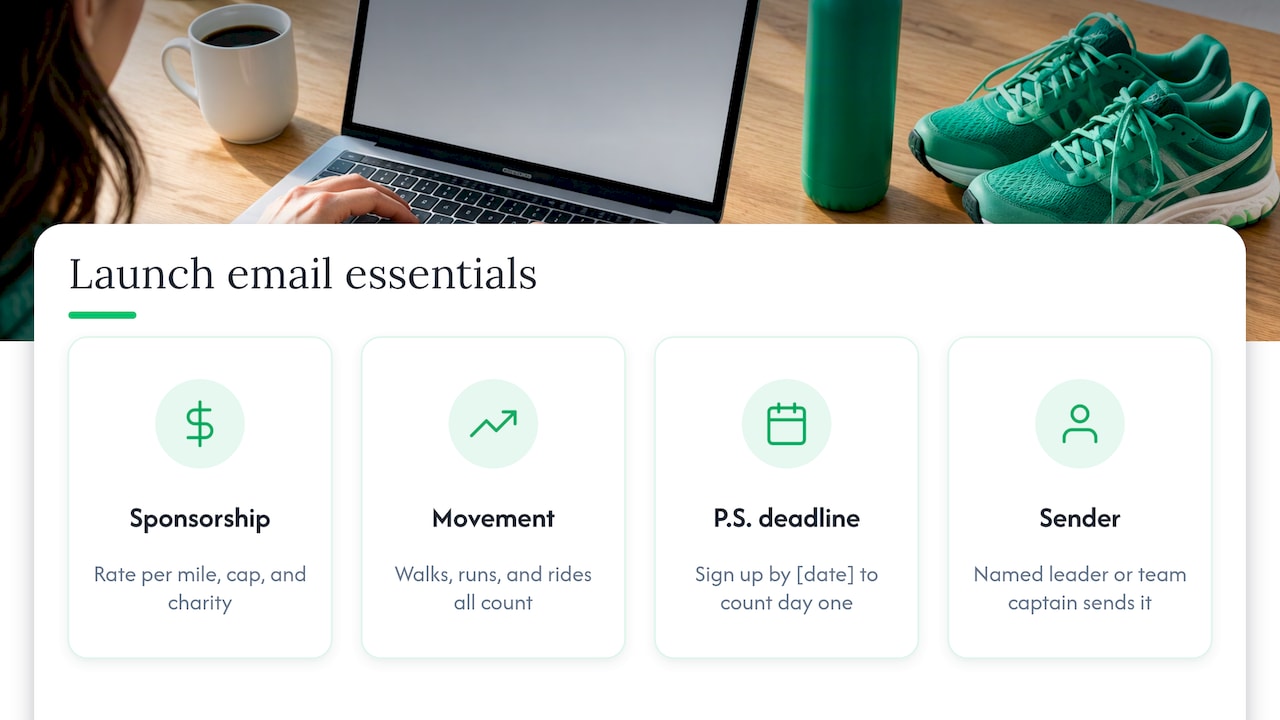
[Name, title]P.S. Joining takes about two minutes. Sign up by [date] to be counted from day one.
A few notes on why this is built the way it is.
It names the sponsorship terms. When a company chooses the rate per mile, the total cap and where the money goes, employees should see those numbers in the first email. Concrete terms turn a vague “let’s support charity” into something people can picture.
It says any movement counts. The biggest barrier to a company challenge is the person who thinks it is only for athletes. One line of reassurance removes it.
It repeats the ask in a P.S. Many readers skip to the bottom. A closing line with the deadline catches them.
It comes from a person. An email from a named leader, or better, from a team captain, outperforms a message from a generic HR address because it reads like an invitation from someone who will be taking part.
For more ideas on formats beyond walking, the fitness fundraising ideas guide covers what drives participation, and the step challenge guide walks through organizing one from scratch.
A launch email for charity supporters
A charity inviting grassroots supporters has a different reader: someone who already cares about the cause but may not think of themselves as a fundraiser. The email should lower the effort.
Subject: Walk, run or ride for [Cause] this [month]
Preheader: Pick your charity, log your miles, make a difference.
Hi [First name],
Thank you for standing with [charity]. Today we’re launching something simple: a [length]-week movement challenge where your everyday miles become support for [what the charity does].
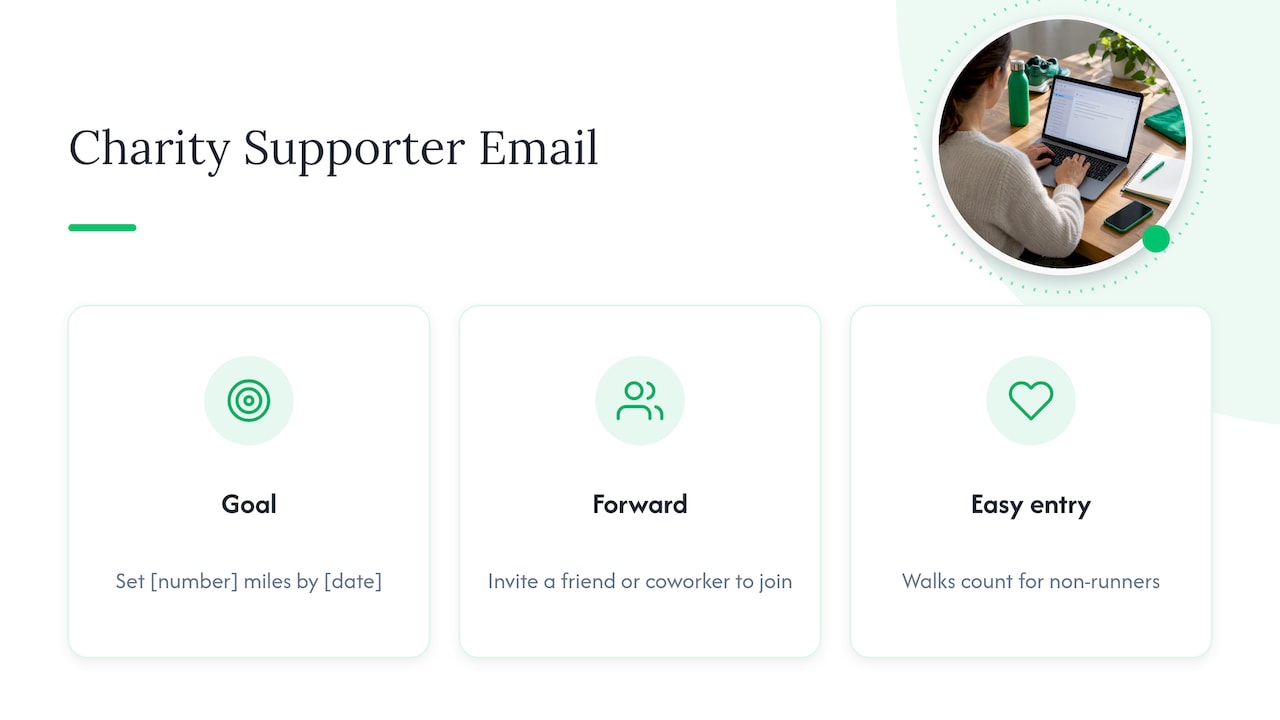
Our goal: [number] miles by [date]. That would [specific outcome, such as fund X].
[Start moving for [Cause]]
Not a runner? Neither are many of us. Walks count.
Forward this to a friend or coworker who might want to join.
With thanks,
[Name]
The goal gives people something to move toward, and the “forward this” line turns each reader into a recruiter. For the broader program around the email, the nonprofit fundraising guide covers how to build supporter participation.
If you are running a local giving day, look at how others structure the pre-event message. The Giving Challenge in southwest Florida, for example, publishes sample emails that announce the event before the day, state the goal and the matching gift, and then send a day-of email asking readers to take five minutes to give.
When to send: a launch sequence that works
One email is rarely enough. People are busy, and most will not act on the first message. A short sequence gives each person several chances without becoming a nuisance.
Here is a practical schedule for a challenge with a registration window. It borrows its rhythm from the employee wellness challenge campaign published by Blue Cross Blue Shield of Kansas, which sends a “coming soon” note a week before registration opens, a registration-open email on the start date, a reminder three days later, a last-chance email seven days before registration closes, a day-one email and a results email two days after the final round.
| Timing | Purpose | |
|---|---|---|
| Teaser | About 1 week before registration | Build anticipation, announce the cause |
| Launch | Registration opens | Main invitation with one button |
| Reminder | 3 days later | Reach people who missed the first send |
| Last call | About 1 week before registration closes | Deadline, current team total |
| Day one | Challenge start | Welcome, how to log miles, first goal |
| Results | 2 days after the end | Thank you, total miles, dollars raised |
If your challenge is shorter, compress the same logic. A one-week challenge might need only a teaser, a launch, a reminder and a results email.
When you map the whole campaign, from first announcement through thank-you, a dedicated tool helps you schedule and segment. This overview of email platforms for nonprofits is a good place to compare what you need.
Follow-up emails: be persistent, not pushy
The follow-up is where many challenges are won. The Cardinal Glennon Sun Run email guide advises participants to be “pleasantly persistent” and to send a reminder at least a week after the first email, restating the goal and what is left to reach. St. Jude makes the same point plainly: some people simply need a reminder.
Good follow-ups share a few traits:
- They add something new. A progress number, a short story from a participant, a photo from the first week. Do not resend the same message.
- They show momentum. “Our team has logged 1,400 miles in five days” tells hesitant readers that others have already joined.
- They make the next step obvious. Same button, same single ask.
- They thank people. The results email should come quickly, name the total and tell people what their miles did.
If some employees opened the launch email but did not join, a second send with a different subject line is reasonable. A team captain’s personal note also tends to work better than another message from the program owner.
What the law says: CAN-SPAM basics for US senders
The CAN-SPAM Act sets the rules for commercial email in the United States, and the FTC enforces it. According to the FTC’s compliance guide, the law covers all commercial messages, not only bulk email, and it makes no exception for business-to-business email. Each separate email in violation can bring penalties of up to $53,088 (a figure the FTC adjusts over time, so check its page for the current amount).
Whether a particular fundraising or internal wellness email counts as “commercial” depends on its primary purpose, so if you are unsure, ask your legal counsel. Either way, following these habits keeps your emails clean:
- Use accurate “From” and reply-to details.
- Write a subject line that matches the content.
- Include your valid physical postal address.
- Offer a clear way to opt out, and honor requests promptly. The FTC guide says opt-outs must be honored within 10 business days.
Emails sent inside a company to employees about a workplace program are usually closer to internal communication than marketing, but the same habits of honesty and easy opt-out build trust with your team.
Putting it together with Charity Miles
A launch email is only as strong as the experience it points to. The Charity Miles app is free for members: they walk, run or bike, the app tracks distance with GPS and pedometer, and money is donated to the charity each member chooses for every mile logged. For companies, our Employee Empowerment program lets you create private teams, run friendly intra-company challenges, and optionally sponsor miles on your own terms, choosing the rate per mile, the total cap and whether donations go to each employee’s chosen charity or a company-selected cause.
That gives your launch email its content: a team to join, a rate people can see and a cause they care about. Since launching its Charity Miles team in 2021, HARMAN saw an 11x increase in employee participation, with 1,200+ employees generating over $120,000 for charity. You can read how a similar rollout works in the 6-week pilot playbook.
If you are ready to launch a private team challenge for your employees, start with the Employee Empowerment program. If you want to sponsor miles for a community or a cause, see corporate sponsorship opportunities.
Our perspective
We have seen the same pattern in how people respond to a challenge invitation: the email that works is the one that makes joining feel easy and meaningful at once.
Easy means any movement counts. A lunchtime walk, a bike commute and a weekend run all log miles, so the invitation is for everyone, not just the people who already work out. Meaningful means the miles go somewhere. When each mile becomes a donation to a charity the member picked, the walk stops being a chore and becomes a small act of giving.
That is why we encourage companies to make their sponsorship terms visible from the first email. When people know the rate per mile, the cap and where the money goes, they can see what their effort adds up to. And because a company controls those terms, the launch message can be as specific as the program itself.
The launch email is the first moment of that experience. Write it like an invitation from a colleague, keep it to one ask, and follow it with updates that show the team’s progress.
Gene
FAQ
How long should a challenge launch email be?
Keep it short enough to read on a phone in under a minute. Aim for a short opening about why the challenge matters, three or four lines of details, and one button. Anything else belongs on the sign-up page or in the welcome email.
How many emails should I send before a challenge starts?
Plan on a handful. A common pattern is a teaser, a launch email, a reminder a few days later and a last-call message before registration closes. Shorter challenges can use fewer, as long as each email adds something new, such as a progress number or a deadline.
Should the email come from HR, the CEO or a team captain?
Use the person your audience will respond to. An executive can open the campaign to show support, but reminders from team captains tend to feel more personal. Whoever sends it, use a real name and a real reply address, which also keeps you in line with CAN-SPAM.
What should the call to action say?
Name the action in plain words: “Join the team,” “Start moving for [Cause]” or “Register now.” Use one button, repeat the same link in the P.S. if you wish, and avoid giving readers several different things to click.
Sources
- CAN-SPAM Act: A Compliance Guide for Business (FTC)
- Fundraising resources (St. Jude Children’s Research Hospital)
- Endurance Classy Email Templates (The Michael J. Fox Foundation)
- Email Marketing (Giving Challenge)
- Invitational Wellness Challenge Campaign (Blue Cross Blue Shield of Kansas)
- Fundraising Email Templates (Cardinal Glennon Sun Run)