
The most effective remote team building activities are short, recurring micro-interactions embedded into existing workflows, not occasional hour-long events. Pick your activity using two quick rules: time budget (5 minutes for a meeting add-on, 15 minutes for a huddle, 30–60 minutes for a dedicated session) and purpose (social connection, collaboration, skill-sharing, or wellbeing). As a quick signal of whether your efforts are working, track repeat participation rate after your first three sessions. If the same people keep showing up and new faces join, you have found a format worth repeating.
Gallup research shows companies with engaged employees are 21% more profitable, which means the investment in even a five-minute weekly ritual has a measurable business case behind it. This guide gives you a categorized menu of 30+ activities, copyable agendas, a measurement plan, and the evidence behind why these practices work.
Key Takeaways
Short, recurring micro-interactions embedded into existing workflows produce more durable engagement than occasional large events, and the most effective activities tie participation to a shared purpose.
| Point | Details |
|---|---|
| Prioritize micro-interactions | 5–15 minute activities added to existing meetings outperform standalone hour-long social sessions. |
| Use async for scale | Photo challenges, hobby channels, and movement challenges reach every time zone without scheduling pressure. |
| Measure repeat participation | Track who returns for a second and third session; rising repeat rates signal genuine engagement. |
| Set inclusive norms early | Make participation optional, camera-off acceptable, and rotate facilitators to distribute ownership. |
| Charitymiles for purpose-driven rituals | The Employee Empowerment Program turns daily movement into charitable impact, combining wellness, connection, and CSR reporting in one async-friendly challenge. |
Table of Contents
- The best remote team building activities, organized and ready to run
- When to run live activities vs. when async works better
- How to run virtual activities well: a facilitator checklist
- Copyable agendas you can paste into a calendar invite
- How to measure whether your activities are actually working
- Common problems and fast fixes
- Why embedding rituals into workflow actually works
- The one shift that changes everything for remote teams
- Charitymiles turns a movement challenge into a team ritual that scales
- Sources
The best remote team building activities, organized and ready to run
Leading teams boost connection by embedding social channels, routine peer recognition, and purposeful initiatives into daily workflows rather than relying on one-off events. The activities below are organized by category, each tagged with duration, group size, purpose, and prep level so you can pick one in under a minute.
Games and challenges
1. Virtual trivia | 15–30 min | Medium/Large | Social | Prep: Low
Use a free tool like Kahoot or Mentimeter. Assign a rotating host each week. Run 10–15 questions on pop culture, company history, or a team-chosen theme. Award a small, visible recognition (a Slack shoutout) to the winner.
2. Online escape room | 30–60 min | Small/Medium | Collaboration | Prep: Low
Book a hosted session through a vendor, or use a free browser-based puzzle set. Collaborative problem-solving activities like virtual escape rooms work because they require teammates to use each other’s diverse strengths, mirroring real work dynamics. Split groups of 4–6 into breakout rooms for maximum engagement.
3. Jackbox Games night | 30–60 min | Medium/Large | Social | Prep: Low
One person owns the game; everyone else joins via phone or browser. Drawful 2 and Quiplash are crowd favorites that need zero prior gaming experience.
4. Virtual scavenger hunt | 15–30 min | Any size | Social/Collaboration | Prep: Low
Post a list of 10 household items in Slack or Teams. First person to share a photo of each item wins. Scale to large groups by running it in parallel team channels.
5. Emoji check-in challenge | 5 min | Any size | Social | Prep: None
Ask everyone to describe their week using only three emojis in the chat. Takes 60 seconds, sparks conversation, and gives you a real-time pulse on team mood.
6. GIF battle | 5 min | Any size | Social | Prep: None
Post a prompt (“describe your Monday morning”) and ask everyone to respond with a GIF. Works in Slack, Teams, or any chat platform.
7. Photo challenge | Async | Any size | Social | Prep: None
Post a weekly theme (your workspace, your lunch, your view) in a dedicated Slack channel. Employees contribute on their own schedule. Async social channels like this build organic rapport on employees’ own terms and reduce scheduling fatigue.
Social and connection
8. Virtual coffee roulette | 15–30 min | Any size | Social | Prep: None
Use Donut (a free Slack app) to randomly pair teammates for a 15-minute video chat each week. No agenda, no deliverables. The randomness is the point.
9. Show and tell | 15 min | Small/Medium | Social | Prep: None
Each person brings one object from their home that means something to them and explains why in 90 seconds. Rotate three people per session so it never runs long.
10. Two truths and a lie | 5–10 min | Any size | Social | Prep: None
A classic that works at any team size. Run it in the chat for large groups so everyone can guess simultaneously without waiting.
11. Virtual happy hour | 30–60 min | Medium | Social | Prep: Low
Keep it optional and theme it (cocktail-making, wine tasting, mocktail challenge). Themes give people something to do rather than just stare at a grid of faces.
12. Messy desk photo share | 5 min | Any size | Social | Prep: None
Ask everyone to snap and share their current workspace, no tidying allowed. Surprisingly humanizing, especially for new team members.
13. Hobby channel | Async | Any size | Social | Prep: None
Create dedicated Slack or Teams channels (#books, #pets, #cooking). These low-pressure spaces let connection grow organically throughout the week without requiring a scheduled call.
Creative and skill-sharing
14. Virtual art session | 30–60 min | Any size | Wellbeing/Skill | Prep: Low
Use a guided watercolor or sketch tutorial on YouTube. Everyone follows along on their own materials. Creative activities have measurable brain benefits for stress reduction and creativity, making this a genuine wellbeing investment, not just a fun distraction.
15. Skill swap session | 30–60 min | Small/Medium | Skill-sharing | Prep: Medium
One team member teaches a 20-minute skill (Excel shortcuts, a language phrase, a cooking technique). Rotate the presenter each month. People learn something real and the presenter gets visible recognition.
16. Collaborative playlist | Async | Any size | Social | Prep: None
Create a shared Spotify playlist and invite everyone to add three songs. Play it during the next team call as background music. Simple, personal, and zero prep.
17. Book or podcast club | Async + 30 min live | Small/Medium | Skill/Social | Prep: Low
Agree on a short book or a single podcast episode. Share reactions in a dedicated channel throughout the week, then spend 30 minutes live discussing the one idea that stuck with everyone.
18. Virtual cooking challenge | 30–60 min | Any size | Social/Skill | Prep: Low
Share a simple recipe in advance. Everyone cooks it (or a variation) and shares a photo. Run a live 15-minute “reveal” call to compare results.
Wellbeing and mindfulness
19. Guided meditation or breathwork | 5–15 min | Any size | Wellbeing | Prep: None
Use a free YouTube session or the Calm app. Tack it onto the end of a high-stress meeting. The contrast effect alone makes it memorable.
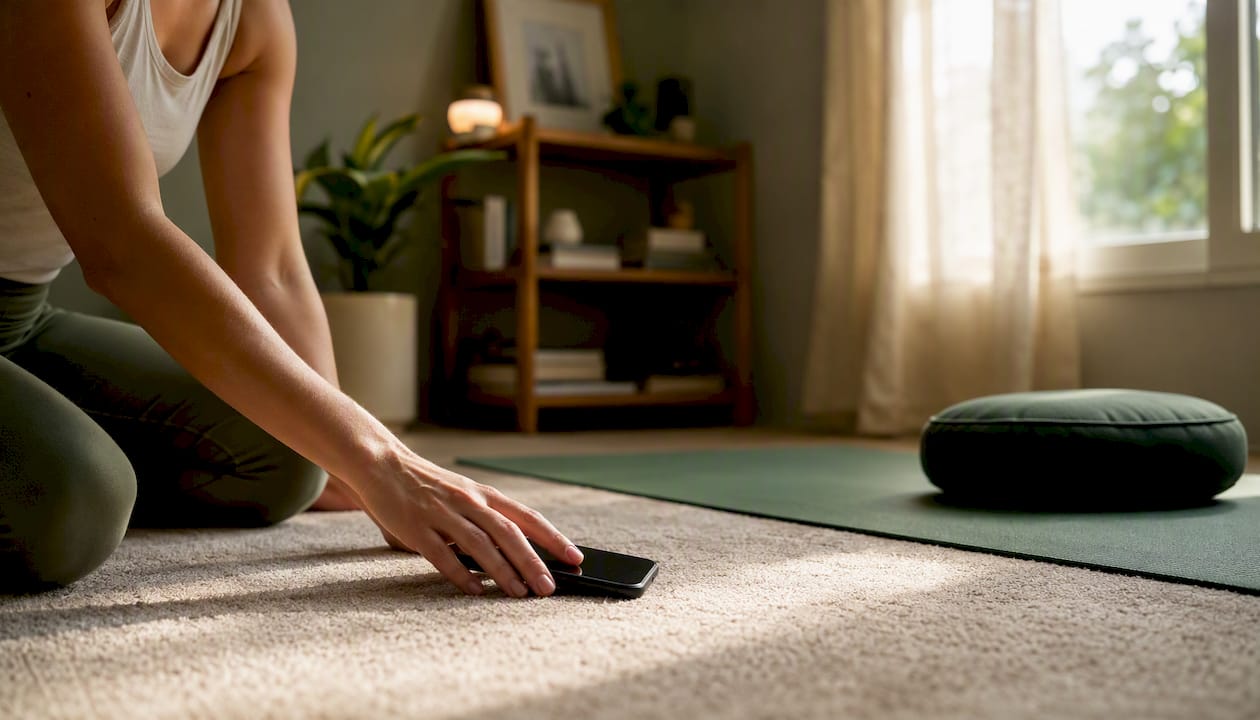
20. Walking meeting | 15–30 min | Small | Wellbeing/Social | Prep: None
Replace a standard video call with a phone call. Everyone walks. No screen required. Works especially well for one-on-ones and small check-ins.
21. Gratitude round | 5 min | Any size | Wellbeing/Social | Prep: None
Close a meeting by asking each person to name one thing they are grateful for this week. Keep it to one sentence each. Shifts the emotional tone of a meeting’s end.
22. Wellness step challenge | Async, 1–4 weeks | Any size | Wellbeing | Prep: Low
Run a team step or movement challenge using a shared leaderboard. Tie it to a charitable cause for extra motivation. See the fitness challenge ideas for team building resource for templates.

23. Desk stretch break | 5 min | Any size | Wellbeing | Prep: None
Open a meeting with a two-minute guided stretch from YouTube. Signals that the team cares about physical health, not just output.
5-minute quick wins to tack onto any meeting
Short micro-interactions at the start or end of meetings raise engagement without causing meeting overload and are often more effective than lengthy social sessions. Here are eight you can run in five minutes or less:
- Rose, bud, thorn: Each person shares one win, one opportunity, and one challenge. Keeps it structured and fast.
- One-word check-in: Everyone types one word in the chat that describes their current state. No explanation needed.
- Icebreaker question: Post a lighthearted question (“What’s your go-to comfort food?”) and let people answer in chat simultaneously.
- Virtual high-five board: Drop a Jamboard or Miro sticky-note board and ask people to write one shoutout for a colleague.
- Emoji weather report: “What’s the weather like in your world today?” Answered with a single emoji.
- Would you rather: One quick question, two options, everyone votes in the chat. Takes 90 seconds.
- Photo of the week: One person shares a personal photo and gives a 30-second story behind it. Rotate weekly.
- Appreciation round: Each person names one teammate and one specific thing they did well this week.
When to run live activities vs. when async works better
The choice between synchronous and asynchronous formats is not about preference. It is about what your team’s constraints actually allow.
Ask yourself these four questions before scheduling:
- Do all participants share overlapping working hours? If not, async is the default.
- Does the activity require real-time interaction to work (escape room, improv game)? If yes, go live.
- Is the goal social connection or task collaboration? Social connection often works async; collaboration usually needs live time.
- Do all participants have reliable video bandwidth? If not, design for audio-only or async.
| Dimension | Real-time (synchronous) | Asynchronous |
|---|---|---|
| Best duration | 5–60 min per session | Ongoing (days to weeks) |
| Group size | Small (3–6) to medium (7–15) | Any size |
| Primary purpose | Social bonding, collaboration, problem-solving | Connection, recognition, wellness challenges |
| Prep level | Low to medium | Low (set up once, runs itself) |
| Cost | Free to paid vendor | Free to low-cost tools |
| Inclusion risk | Time zone exclusion, bandwidth gaps | Lower pressure, higher accessibility |
Good live choices: virtual escape room, trivia night, skill swap session, virtual happy hour.
Good async choices: photo challenge channel, collaborative playlist, step/wellness challenge, book club reactions thread.
Async-first social spaces reduce scheduling friction and let employees contribute on their own terms. Reserve live time for activities that genuinely need synchronous interaction.
How to run virtual activities well: a facilitator checklist
Good facilitation is what separates a session people remember from one they quietly dread. Here is a practical runbook you can follow for any activity.
Before the session
- Define the purpose in one sentence before you schedule anything. “We want new team members to feel welcomed” is a purpose. “Team building” is not.
- Choose the right tool. Video calls (Zoom, Google Meet, Microsoft Teams) for live sessions; Slack or Teams channels for async; Mentimeter, Kahoot, or Poll Everywhere for polls and quizzes; Miro or Jamboard for collaborative whiteboards.
- Assign a facilitator and a timekeeper. These can be the same person for small groups, but separate roles work better for 10+ participants.
- Send a one-line preview. Tell people what to expect and how long it will take. Surprises reduce participation.
- Plan a fallback. If the tech fails, have a no-tech version ready (a chat-based question works for almost any icebreaker).
During the session
- Open with a low-stakes prompt. Give people 30 seconds to type something in the chat before asking anyone to speak. This lowers the activation energy for quieter participants.
- Use breakout rooms for groups over 8. Turn-taking in a large group kills energy fast. Parallel small groups keep everyone active.
- Watch the chat. Some participants will engage more in text than on camera. Acknowledge chat contributions out loud.
- Keep to time. End on time or early. Running over is the fastest way to lose trust for the next session.
After the session
- Send a one-question pulse. “Did you enjoy this activity? Yes / No / Somewhat.” Takes 10 seconds to answer and gives you real data.
Accessibility and inclusion notes:
- Offer camera-off options. Mandatory video is a barrier for people with bandwidth issues, sensory sensitivities, or home privacy concerns.
- Avoid activities that require physical ability, specific tech, or spending money without advance notice.
- Rotate session times across time zones so the same group is not always excluded.
- For neurodiverse participants, share the activity format and any prompts in advance so there are no surprises.
Pro Tip: Rotate the facilitator role across team members. It builds confidence, distributes ownership, and prevents the same person from always setting the tone.
For more ideas on sustaining engagement across distributed teams, the remote team engagement playbook from Nomad Excel covers facilitation practices worth cross-referencing.
Copyable agendas you can paste into a calendar invite
Template 1: 5-minute meeting icebreaker
Format: Live | Group size: Any | Prep: None
- 0:00 Facilitator posts one question in the chat (“What’s one word for your energy level today?”)
- 0:30 Everyone types their answer simultaneously
- 1:00 Facilitator reads 3–4 responses aloud and reacts briefly
- 2:00 Optional: one person elaborates for 60 seconds
- 3:00 Transition to meeting agenda
Slack/Teams kickoff message: “Before we dive in, drop one word in the chat that describes your energy right now. No wrong answers.”
Template 2: 15-minute team huddle with a micro-activity
Format: Live | Group size: Small to medium | Prep: None
- 0:00 One-word check-in (all in chat, 2 min)
- 2:00 Quick wins round: each person names one thing that went well this week (60 sec per person, max 5 people)
- 7:00 Icebreaker question or “would you rather” vote (3 min)
- 10:00 Open floor: anything the team wants to surface (5 min)
- 15:00 Close
Slack/Teams kickoff message: “Huddle in 10. We’ll start with a quick check-in and a fun question before the updates. See you there.”
Template 3: 30-minute social or problem-solving session
Format: Live | Group size: Medium | Prep: Low
- 0:00 Welcome and purpose statement (1 min)
- 1:00 Icebreaker: two truths and a lie in chat (4 min)
- 5:00 Main activity: virtual escape room puzzle or trivia (20 min, breakout rooms if 8+)
- 25:00 Debrief: what surprised you? (3 min)
- 28:00 Appreciation round: one shoutout per person (2 min)
- 30:00 Close
Slack/Teams kickoff message: “We’re doing a 30-minute team session on [date]. It’s low-key and optional, but we’d love to see you. Details in the invite.”
Template 4: Async week-long wellness or CSR challenge
Format: Async | Duration: 5–7 days | Group size: Any | Prep: Low
Kickoff message (Monday):
“This week we’re running a [step/movement/wellness] challenge as a team. Log your activity each day in [channel/app]. We’re collectively aiming for [goal]. Every mile logged goes toward [charity/cause]. Drop your Day 1 total below to get started.”
Mid-week check-in (Wednesday):
“Halfway through! Here’s where we stand: [leaderboard or total]. Shoutout to [name] for [specific contribution]. Still time to jump in if you haven’t yet.”
Wrap-up message (Friday):
“We did it. Final total: [result]. Here’s what that means for [cause/charity]. Thank you to everyone who participated. We’ll run another challenge in [month]. Drop a reaction if you want to be notified.”
For a turnkey version of this async challenge format, the corporate step challenge program shows how to operationalize it across time zones with built-in reporting.
How to measure whether your activities are actually working
Measuring remote team engagement does not require a complex survey platform. Three simple metrics tell you most of what you need to know.
Key metrics to track:
- Participation rate: Number of people who joined divided by total team size. Track this per session.
- Repeat participation rate: How many participants from session one return for session two or three. Rising repeat participation is the clearest early signal of genuine engagement.
- Pulse response rate: The percentage of team members who respond to your post-activity pulse question. Low response rates signal disengagement as much as negative answers do.
- Qualitative feedback: One open-ended question every four weeks (“What would make these sessions more useful for you?”) surfaces issues that numbers miss.
Sample pulse questions to send after any activity:
- “Did you enjoy today’s activity?” (Yes / Somewhat / No)
- “Did this session help you feel more connected to the team?” (Yes / Somewhat / No)
- “Would you want to do this again?” (Yes / No / Try something different)
- “One word to describe today’s session:” (open text)
Send these via a Google Form, Typeform, or a simple Slack poll immediately after the session, while the experience is fresh.
6-week experiment plan:
| Week | Action | What to track |
|---|---|---|
| Week 1 | Run one 5-min icebreaker per meeting | Participation rate, pulse score |
| Week 2 | Add one async photo challenge | Channel engagement, number of posts |
| Week 3 | Run a 30-min social session | Attendance, repeat participation |
| Week 4 | Send a 3-question pulse survey | Response rate, qualitative themes |
| Week 5 | Adjust format based on feedback | Compare participation week-over-week |
| Week 6 | Review all data, pick two formats to keep | Repeat participation as primary signal |
Check out the employee wellness challenge guide for additional measurement frameworks tied to wellness outcomes.
Common problems and fast fixes
Even well-designed activities run into predictable obstacles. Here is how to handle the most common ones.
Zoom fatigue
Problem: Participants look drained before the activity even starts.
Fix: Switch to audio-only or async. A chat-based icebreaker or a walking meeting requires zero video and often generates more honest responses.
Low participation
Problem: The same five people show up every time.
Fix: Make activities genuinely optional and explicitly say so. Mandatory fun is the fastest way to kill intrinsic motivation. Then ask non-participants directly (one-on-one) what format would work for them.
Exclusion across time zones
Problem: Your APAC or EMEA colleagues are always left out of live sessions.
Fix: Rotate session times quarterly. Pair every live activity with an async version so no one misses the content entirely.
Awkwardness and silence
Problem: Nobody talks. The facilitator fills dead air alone.
Fix: Use chat-first formats where everyone types simultaneously before anyone speaks. This removes the social risk of being the first to respond.
Sessions running too long
Problem: A 30-minute activity stretches to 50 minutes and people drop off.
Fix: Assign a dedicated timekeeper. Set a visible timer on screen. End two minutes early on purpose. People will trust the next session’s time estimate.
Behavioral norms to set from day one:
- Participation is always optional, never graded or tracked for performance reviews.
- Camera-off is always acceptable, no explanation needed.
- Activities are a space to connect, not to perform or compete in ways that feel high-stakes.
- Facilitators rotate so no single person owns the culture.
- Feedback is welcomed and acted on visibly.
Why embedding rituals into workflow actually works
The evidence behind recurring micro-interactions is consistent. Activities tied to purpose, such as volunteering, wellness challenges, or learning circles, create a deeper and more enduring sense of community than purely recreational events. The mechanism is straightforward: when an activity connects to something employees already care about (their health, a cause, a skill), participation becomes intrinsically motivated rather than socially obligated.
Shared, low-pressure experiences are the foundation of trust in remote teams. When teammates experience something together without the pressure of work outcomes, rapport grows naturally and supports later collaborative work.
Ashley Frabasilio at Asana emphasizes that shared experiences are the foundation of trust in remote teams, and that low-pressure shared moments let rapport grow in ways that structured work rarely allows. This is why a five-minute emoji check-in can do more for team cohesion than a quarterly all-hands.
The research on creative activities adds another layer. Making art, whether through collaborative sketching, songwriting, or craft, has measurable brain benefits for stress reduction and creativity, which means creative team activities are not just fun, they actively reduce the cognitive load that remote work tends to accumulate.
Virtual volunteering and CSR-aligned initiatives scale engagement and give activities extra purpose that sustains participation over time. Teams that tie their activities to a charitable outcome consistently report stronger motivation to participate again. The combination of personal meaning and collective impact is a powerful driver of repeat engagement.
For managers looking to build this kind of ritual into their team’s workflow, the CSR initiatives guide for remote employees offers a practical framework for connecting daily activities to measurable social impact.
The one shift that changes everything for remote teams
Most managers I speak with are trying to solve a connection problem with a scheduling solution. They add more meetings, longer sessions, and elaborate event planning, and then wonder why participation drops after the first month.
The real shift is treating team connection the same way you treat any other recurring work ritual: small, consistent, and tied to something that matters. A five-minute icebreaker every Tuesday is worth more than a two-hour quarterly social event, not because it is more fun, but because it builds a habit. Habits compound. Events fade.
The managers who see the biggest engagement gains are the ones who pick two or three formats that work for their specific team, run them consistently for six weeks, measure repeat participation, and then iterate. They do not try to run every activity in this guide. They find their team’s rhythm and protect it.
My challenge to you: this week, pick one five-minute micro-interaction from the list above and add it to a meeting that already exists. Do not create a new calendar event. Do not announce it as a “team building initiative.” Just try it. Then send a one-question pulse afterward. That single data point, collected consistently, will tell you more about your team’s engagement than any annual survey.
If you want to go further, consider running a two-week movement challenge tied to a charitable cause. It combines the ritual of daily participation with the intrinsic motivation of purpose, and it gives you a concrete CSR outcome to report. The team building activities idea bank from Nomad Excel is a useful starting point for additional variety once you have your baseline format locked in.

Charitymiles turns a movement challenge into a team ritual that scales
If you are looking for a remote team activity that combines wellness, connection, and measurable CSR impact without adding a new tool to your stack, Charitymiles’s Employee Empowerment Program is worth a close look.
The program lets you create a private team challenge where employees log walks, runs, and bike rides through the free Charitymiles app. Every mile generates a charitable donation to a cause your company or your employees choose. It runs asynchronously across time zones, requires no scheduled calls, and scales from a 10-person team to an enterprise of thousands.
Three outcomes managers consistently report:
- Engagement: Friendly leaderboards and team challenges drive repeat participation week over week.
- Wellbeing: Daily movement reduces stress and burnout risk, and any movement counts, so no one is excluded by fitness level.
- CSR reporting: Every mile is tracked, so your social impact is visible, measurable, and easy to communicate to leadership.
Explore the corporate wellness programs to see how the program fits your team’s goals, or review the CSR initiatives page to understand the reporting and sponsorship options available.
Sources
The sources below back the guidance in this article and point you toward templates, evidence, and additional activity ideas.
- 18 high-impact virtual team building activities and games
- Team building activities when working remote (Harvest)
- 20 Non-Cheesy Five-Minute Virtual Team Building Activities (+ Bonuses)